curl | bash your way into MCP tools for whatever's plugged in. A coding
agent reads markdown specs, discovers your hardware, and stands up a live MCP server —
on a Mac, a Pi, or any Linux box. Same specs, different code, every time.
curl -fsSL https://raw.githubusercontent.com/qsimeon/octopus-hw/main/install.sh | bash
Requires OPENROUTER_API_KEY exported in your shell —
the agent uses it to drive the pipeline.
export OPENROUTER_API_KEY=sk-or-... before you run the install.
How it works
The orchestrator drives a coding agent through each stage. The agent writes output to
_generated/ and the pipeline loops until every stage passes. On retry, the
agent can even edit the spec that governs it.
server.py with real hardware I/O.Features
Nothing is hard-coded per device. The spec is the infrastructure and the model is the runtime. Change the hardware, change the brain, change the platform — the protocol stays the same.
GLM-5.1, Kimi K2, Claude Sonnet, Gemini Flash, Claude-via-Bedrock. One line in octopus.toml.
If lsusb, udevadm, or i2cdetect can see it, the agent can wire it up. No device registry.
Markdown specs replace platform-specific code. Same probe.md ships on Mac, Linux, and Windows WSL — tested on all three.
The agent that built the server also watches and repairs it. Watch → Heal, forever.
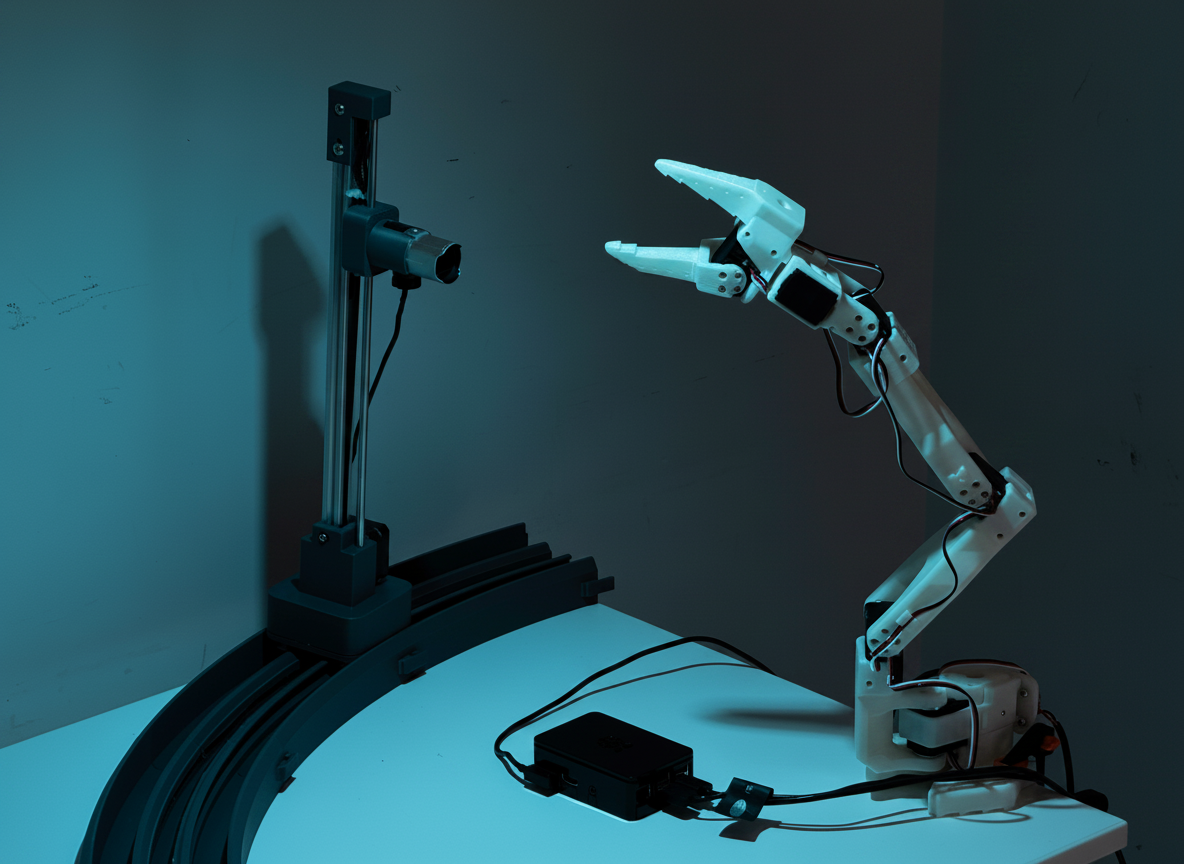
The camera is a discovered MCP tool. The system literally watches itself act on the world.
Plug into Claude Desktop, OpenClaw, Claude Code, or the Join39 bridge. One URL, many clients.
Demo
Full uncut recording of curl | bash on a Mac. The coding agent probes the
machine, writes an MCP server for whatever it finds (FaceTime camera, Wi-Fi, Bluetooth,
system info), deploys it on localhost, and connects to Claude Desktop. This clip shows
the install flow and the MCP Inspector; the end-to-end arm + camera control demo on
the Pi rig is a separate recording
(try the buttons above to drive the live rig yourself).
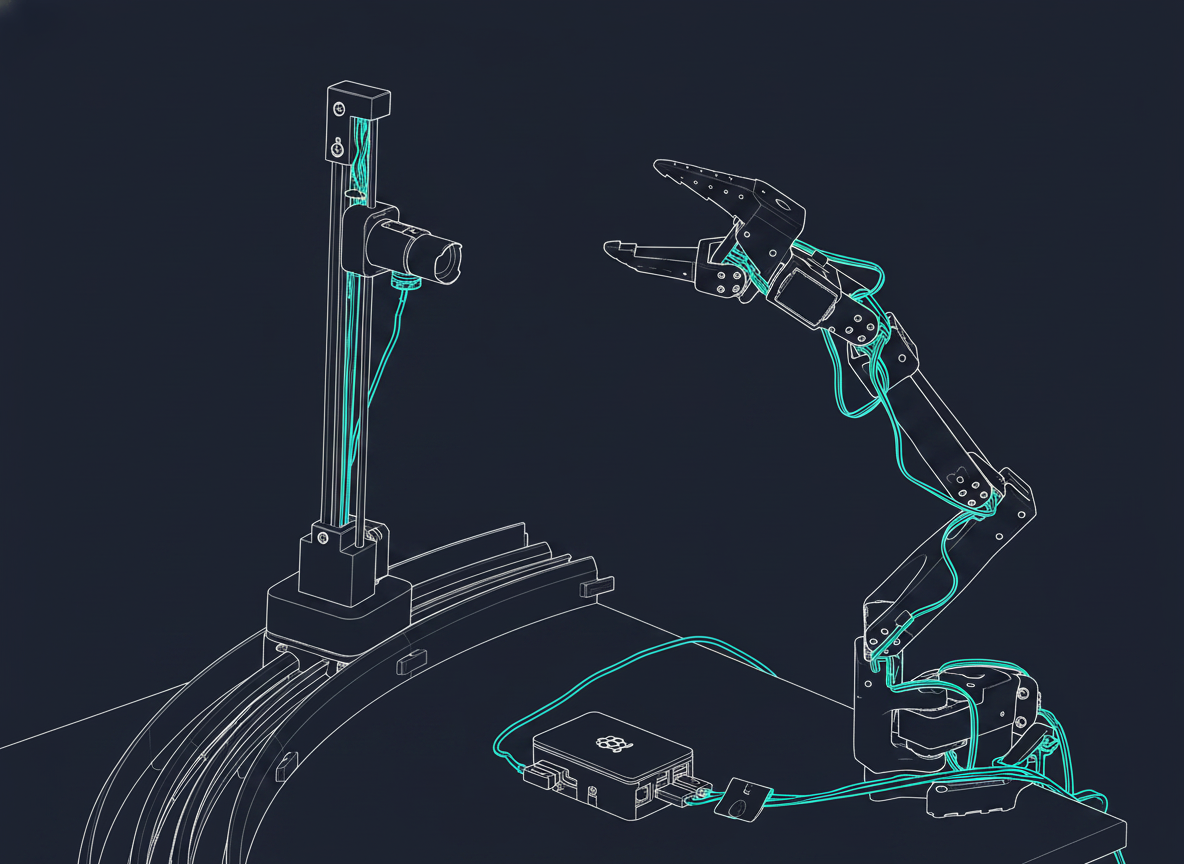
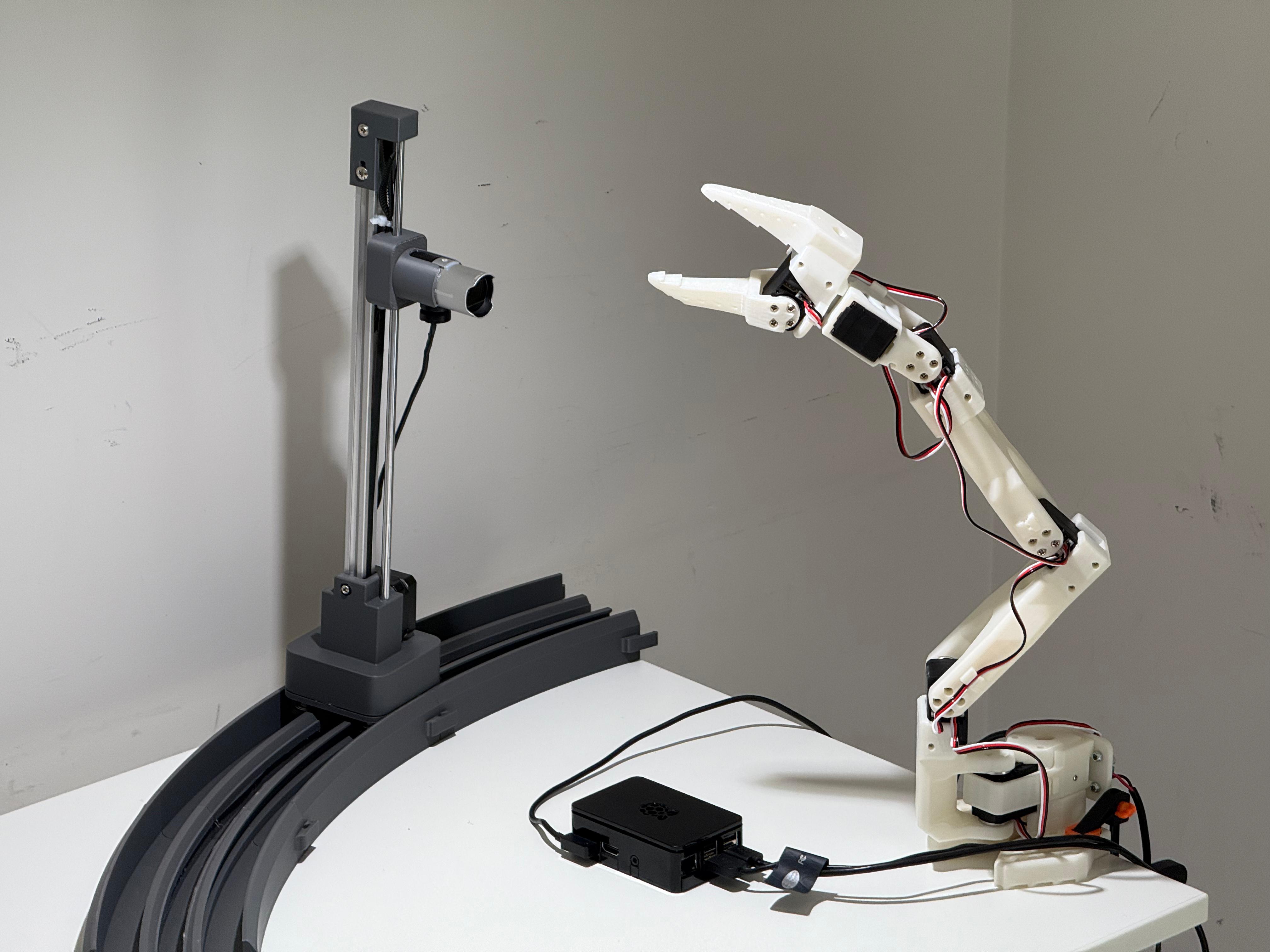
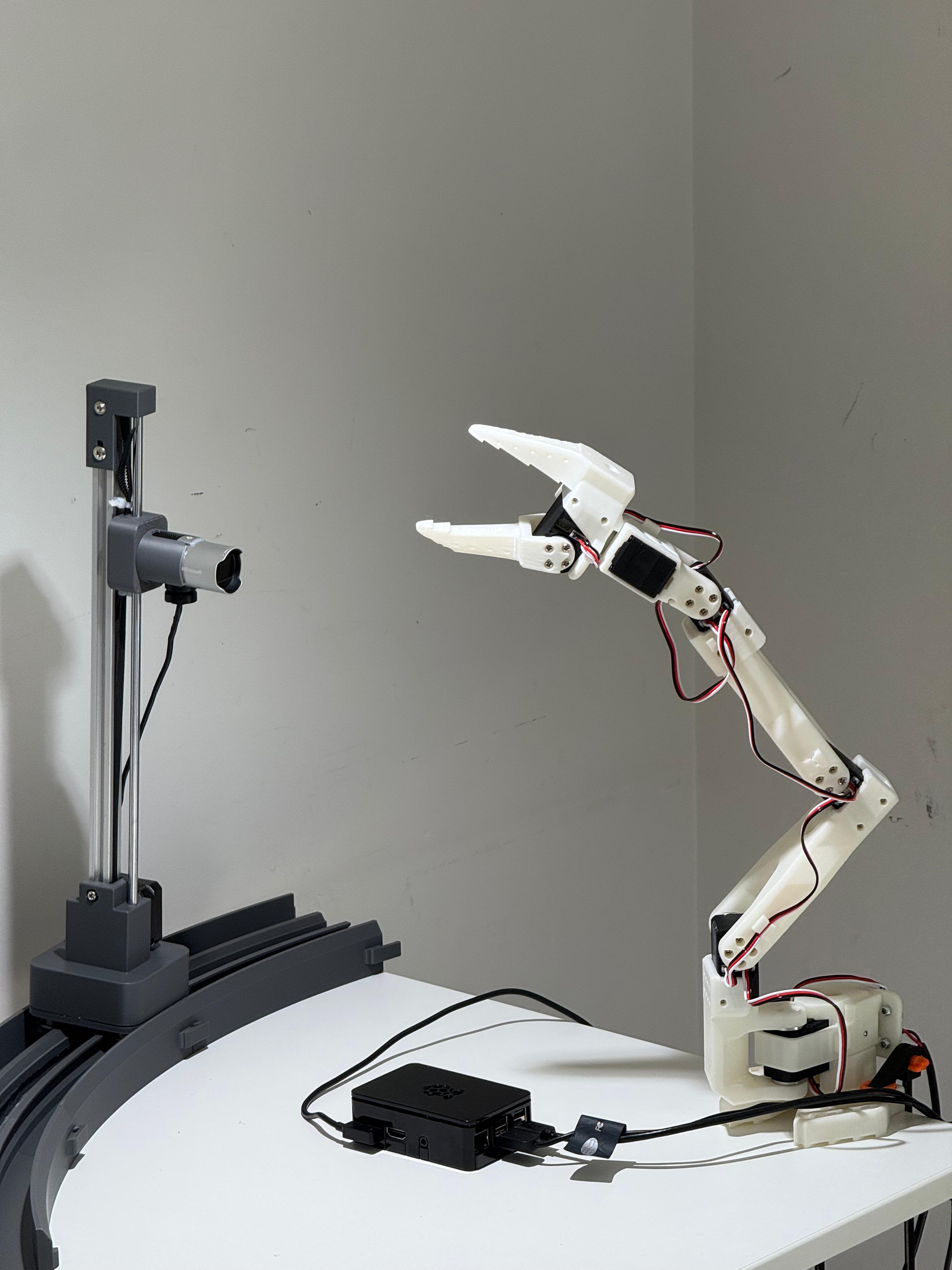
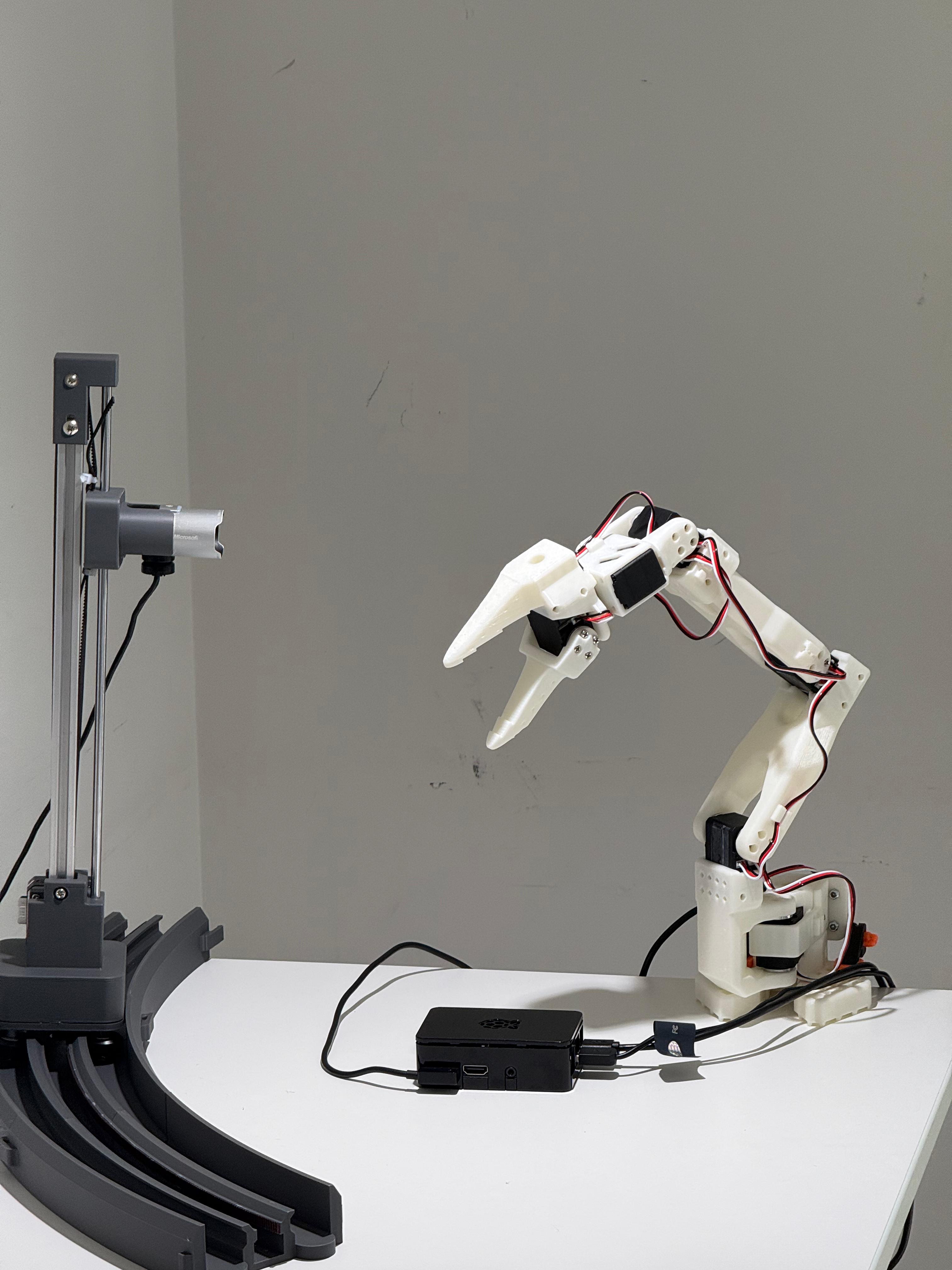
Continuous webcam recording on the Pi while my laptop drives the arm over MCP. Six commands, all via the same tool layer the landing page calls. The arm stands up, rotates, opens and closes the gripper, and parks itself home — same specs, same pipeline, zero human-written hardware code.
Individual frames from an earlier pose-by-pose run are below in the proof strip.
All raw PNGs are committed in docs/demo-frames/arm-motion-proof/.
arm_home() → joint 1 raw ≈ 2048 (center base).
set_joint_angle(1, 160) → base rotates. Raw value moves away from 2048.
set_joint_angle(1, 80) → raw ≈ 1638, confirmed ~400-unit delta. Physical motion verified.
arm_set_joint_angle, arm_home, arm_set_all_joints,
plus diagnostics). Zero human-written hardware code.Try it yourself
No Pi, no arm, no setup — talk to a live SO-ARM101 over the internet. Three ways depending on the client you're building with. Same server, same tools.
Simplest — a plain HTTPS POST. Ideal for scripts, notebooks, or any language. No MCP client needed. Click the buttons below to hit our actual Pi hardware right now.
(click any button — response streams in live from the Pi. Every arm command auto-captures a fresh camera frame below, so you see the result.)
# list available tools
curl -s -X POST https://mellow-miracle-production-b572.up.railway.app/tools/invoke \
-H 'Content-Type: application/json' \
-d '{"action":"list"}'
# move arm to rest pose (gravity-neutral fold, low idle torque on shoulder_lift)
curl -s -X POST https://mellow-miracle-production-b572.up.railway.app/tools/invoke \
-H 'Content-Type: application/json' \
-d '{"action":"invoke","tool_name":"arm_home","parameters":{}}'
# capture a frame — raw PNG bytes (bypasses Join39's 2000-char text cap)
curl -s https://mellow-miracle-production-b572.up.railway.app/camera/latest.png \
--output frame.png
open frame.png
# or as JSON (untruncated) via invoke_raw
curl -s -X POST https://mellow-miracle-production-b572.up.railway.app/tools/invoke_raw \
-H 'Content-Type: application/json' \
-d '{"tool_name":"brio_100_capture_image","parameters":{}}'
Connect directly over the MCP streamable-HTTP transport. You get the full tool list with rich schemas and your agent calls them natively.
Live tunnel URL (auto-updates from Pi):
loading…
(click a button to copy a ready-to-paste config)
// Claude Desktop → Settings → Connectors → Add custom
{ "name": "octopus-pi", "url": "LIVE_URL/mcp" }
// OpenClaw / any streamable-http MCP config
{ "transport": "streamable-http", "url": "LIVE_URL/mcp" }
// Local MCP Inspector (requires Node)
npx @modelcontextprotocol/inspector LIVE_URL/mcp
If you're building an agent on Join39, add octopus-hardware
to its app list. Your LLM calls the tool during conversation; Join39
forwards the call through our Railway bridge to the Pi.
App: octopus-hardware
Full walkthrough: join39-deep-dive.md
Note: the Cloudflare tunnel URL rotates every time the Pi restarts the tunnel. The Railway bridge URL is stable — prefer lane 01 for classmate demos.
Philosophy
Every decision reduces back to these. The rest are in philosophy.md.
Infrastructure equals Agent acting on Specs for a Platform. The markdown files are the product; the Python is coordination.
Every stage, every daemon tick, every heal action is the same four-step loop. No other control structures.
Failed stages can edit their own spec. The daemon reads its own log. The camera watches the arm the agent just moved.
Tempted to write if device == 0x1a86: ...? Strengthen the spec instead. The model is the conditional.